This article takes five minutes, and in half of cases it ends with an unpleasant discovery. Check right now who your website’s domain is registered to. Not “who looks after it”, but who is named as the registrant in the record.

Why this matters more than it seems
A domain is not a file on a server that you can copy. It is an entry in a registry tied to a specific person. Whoever is named as the owner controls it: renews it, transfers it, changes its settings, sells it.
If your former contractor is named as the owner, then the day you decide to part ways you discover something curious: the site is yours, the copy is yours, the customers are yours — but the address where all of it lives is not.
This is rarely malice. Usually it happened because the contractor set everything up from their own account so you would not have to deal with it. And then they moved away, closed their business, or stopped replying.
A website can be moved in a day. A domain you do not own takes months — and sometimes cannot be moved at all.
Five things to check
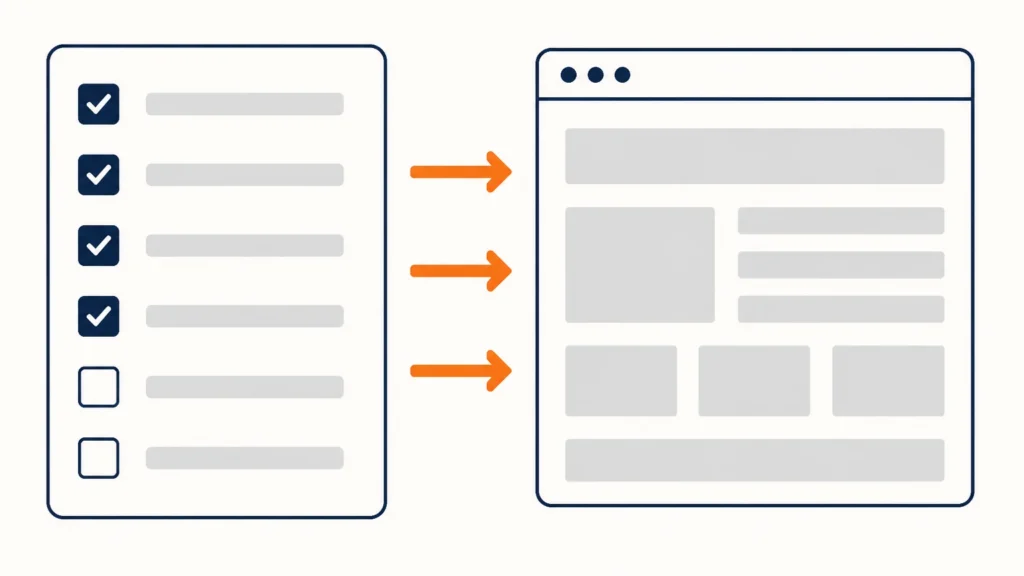
Work through the list and write down who is named where.
1. The domain. Open a whois service and enter your address. Some of the data is hidden under data protection rules — in that case, look in your registrar account. If you have no access to that account, that is already your answer.
2. Hosting. Whose name is the contract in, whose card pays for it. If the invoices go to the contractor, you are not the host’s customer and cannot open a support ticket.
3. Analytics. Your account should own the property, with access granted to the contractor. Not the other way round. Otherwise several years of traffic history leave with them.
4. Ad accounts. The same, but more expensive: the account takes with it the algorithm training, the audiences and the campaign history.
5. Email and service accounts. CRM, newsletters, booking calendar. The business owns; staff and contractors get access.

How it should be arranged
One rule: the business owns everything; contractors get access.
- Accounts are registered to a company address, not to an employee’s or contractor’s personal email.
- Invoices for domain, hosting and subscriptions go directly to the business owner. Not “the contractor pays and adds it to the bill” — directly.
- The contractor is added as a user with the rights they need, and removed when the work ends.
- The list of services and whose name each is in lives in one document. Dull, but one day it saves you.
What to do if you are not the owner
Calmly, without accusations, in order.
- Write to the contractor. In most cases one email settles it: people hand domains over without objection.
- Request the transfer. The procedure is standard: the current owner unlocks the domain and issues an authorisation code, and you transfer it to your own registrar. Timescales depend on the extension.
- If there is no reply, contact the registrar directly and ask what the process is in your situation. Every domain extension has its own dispute resolution rules.
- Hedge in parallel. Set up analytics and ad accounts under your own email even while the domain still sits elsewhere. That is faster and does not depend on anyone’s goodwill.
- Do not open with threats. The domain is physically under someone else’s control, and conflict makes the negotiation longer, not shorter.
A special case is a domain bought inside a website builder. Formally it is yours, but it is tied to the platform, and releasing it before a move follows the platform’s own procedure and timescales. Check in advance, not on moving day.
While you are in there
Since you have the registrar panel open, check two more things.
The renewal date. A domain forgotten for a week goes into a redemption period, and getting it back costs several times what renewal would have. Turn on auto-renewal and make sure the card behind it is still valid.
The contact email. Renewal notices go to the address in the domain record. If that is the mailbox of someone who no longer works for you, you simply will not hear about the deadline.
How to agree this up front
If you are just starting with a contractor, three points in writing prevent future disputes. You do not need a twenty-page contract — you need it recorded.
- All accounts are registered to the business. The contractor gets access, not ownership. The wording is simple: “the domain, hosting and ad accounts are registered to us; you are granted access with the rights you need.”
- Invoices come directly. Not through the contractor and re-billed. That way you see the real dates and amounts and do not depend on someone else’s bookkeeping.
- At the end of the work, credentials are handed over as a list. One document: which service, where it lives, under which email, who has access. It takes half an hour at the end of a project and saves weeks a year later.
A good contractor agrees to this immediately — clear boundaries make their life easier too. Wariness in response to these points is itself informative.
Why I write about this
Because it is the first thing I check in an audit, and because it is the only item on the list that money cannot fix after the fact. Everything else — the site, the copy, the settings — can be rebuilt. A domain held by another person can only be recovered with their consent.
In my projects all accounts are registered to the client from day one, and I work as a user with rights. It is set out in the services and it sounds dull right up until the day it matters.
If you would like a wider view of what else is worth checking on a site, see the seven small things that get you a letter in Germany.
Checked on 26 July 2026.