01 — Client
The company
Zahnarztpraxis Natalie Herzel is a modern dental practice in Hamburg covering the full range of treatment — from prophylaxis and children’s appointments to implants and teeth straightening with invisible aligners. The team trains regularly, treatment is built around gentle, pain-free methods, and the practice holds a 4.8 out of 5 rating on Google. The practice keeps growing, and so does its team.
02 — Context
The task
The growing team needed a careers section on the practice’s website. Vacancy pages had to match the existing pages in style and design: the same dark header with a photo, the same buttons, the same typography. Off-the-shelf job plugins don’t work that way — each brings its own look.
The site runs in German and English, with translations handled by the Polylang plugin. A plugin is an add-on program: it is installed on a website and extends what the site can do. Custom post types, however — and vacancies are exactly that — are beyond what Polylang translates; it only covers regular pages and posts. So a dedicated plugin was built for the practice, adding vacancies to the site — with their own pages and translations, like every other section.
03 — Solution
The approach
3.1
A custom post type in the site’s style
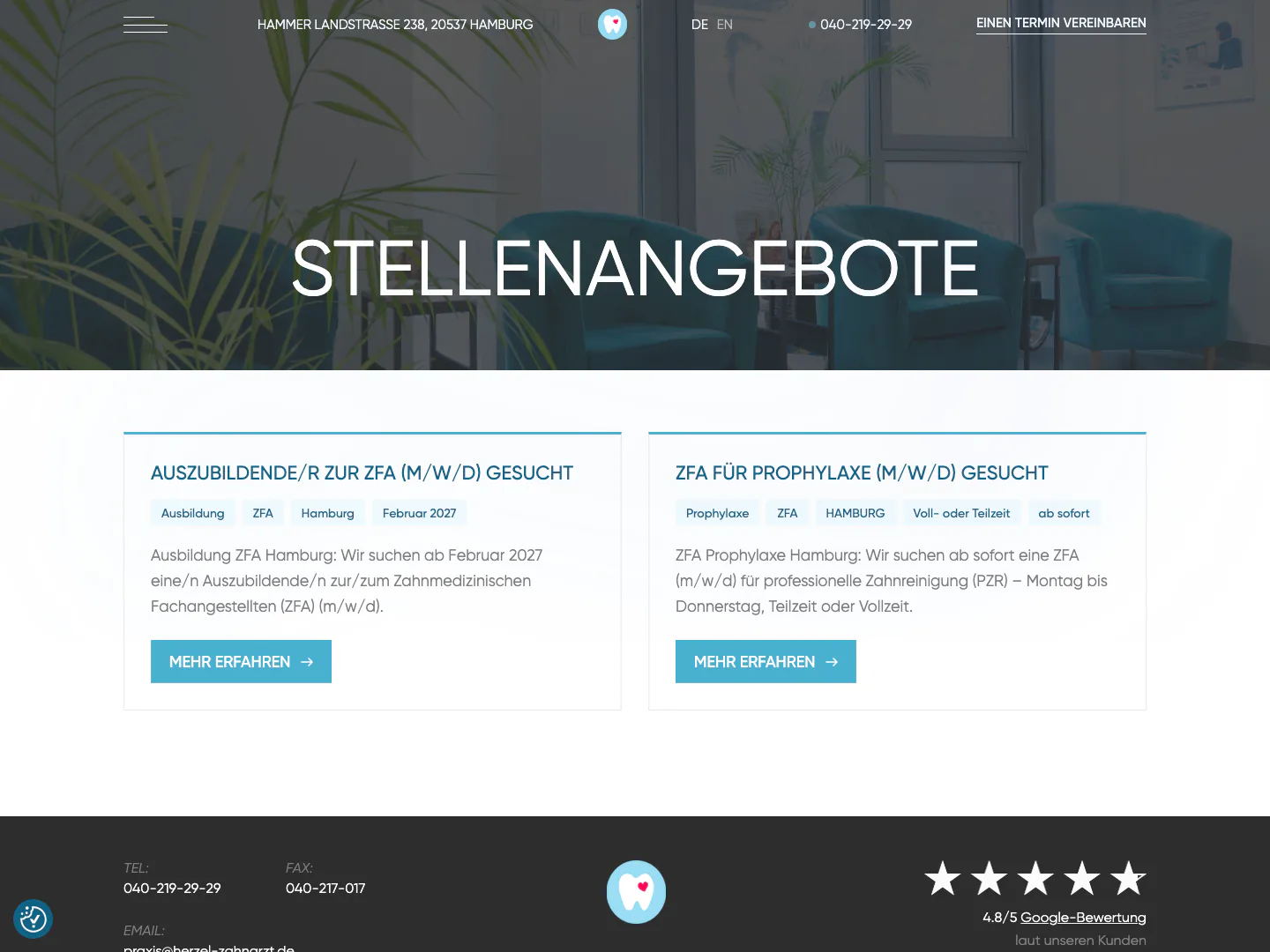
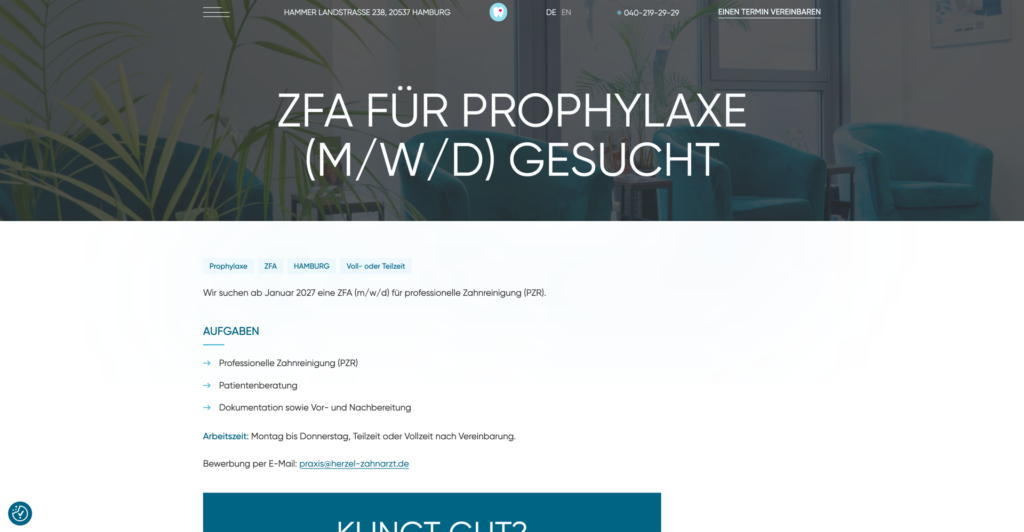
A separate plugin was built for the vacancies — with its own post type, a shared listing and a page for every position. Its design is inherited from the site: the dark header with a photo, the brand buttons, the theme’s typography. The theme itself needed no changes.
3.2
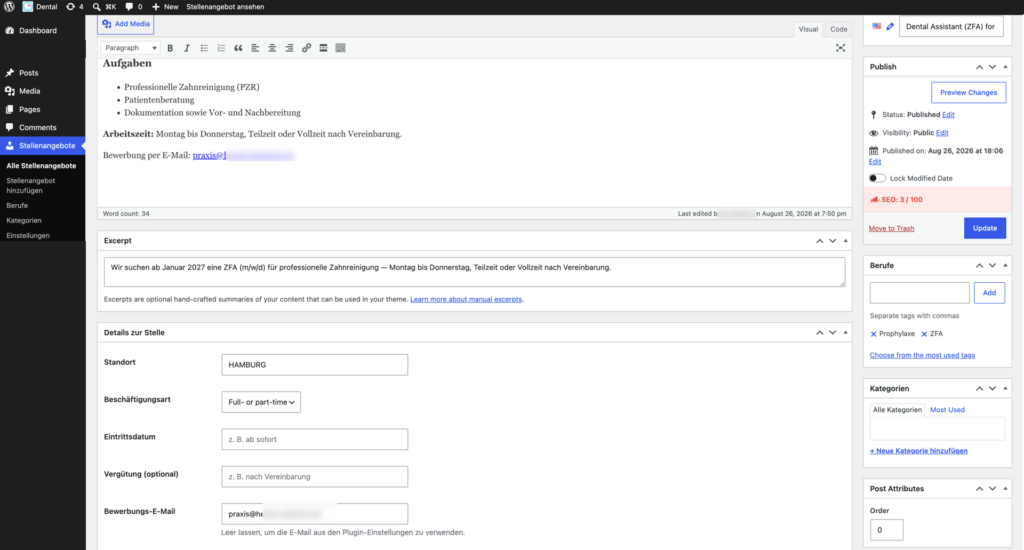
Publishing without a developer
A vacancy is filled in like a regular post: location, type of employment, starting date, remuneration and where to apply — an email address or a link to a form. The apply button opens a ready-made email with the subject “Bewerbung: job title”. The practice team publishes new positions on its own.
3.3
Two languages
Translation support is built into the plugin. It registers its post type as translatable through Polylang’s standard developer filters, and takes interface labels — from the apply button to employment types — from its own German-English dictionary. Both language versions of the section live at their own addresses, just like the rest of the site.
3.4
The grid adapts to the number of vacancies
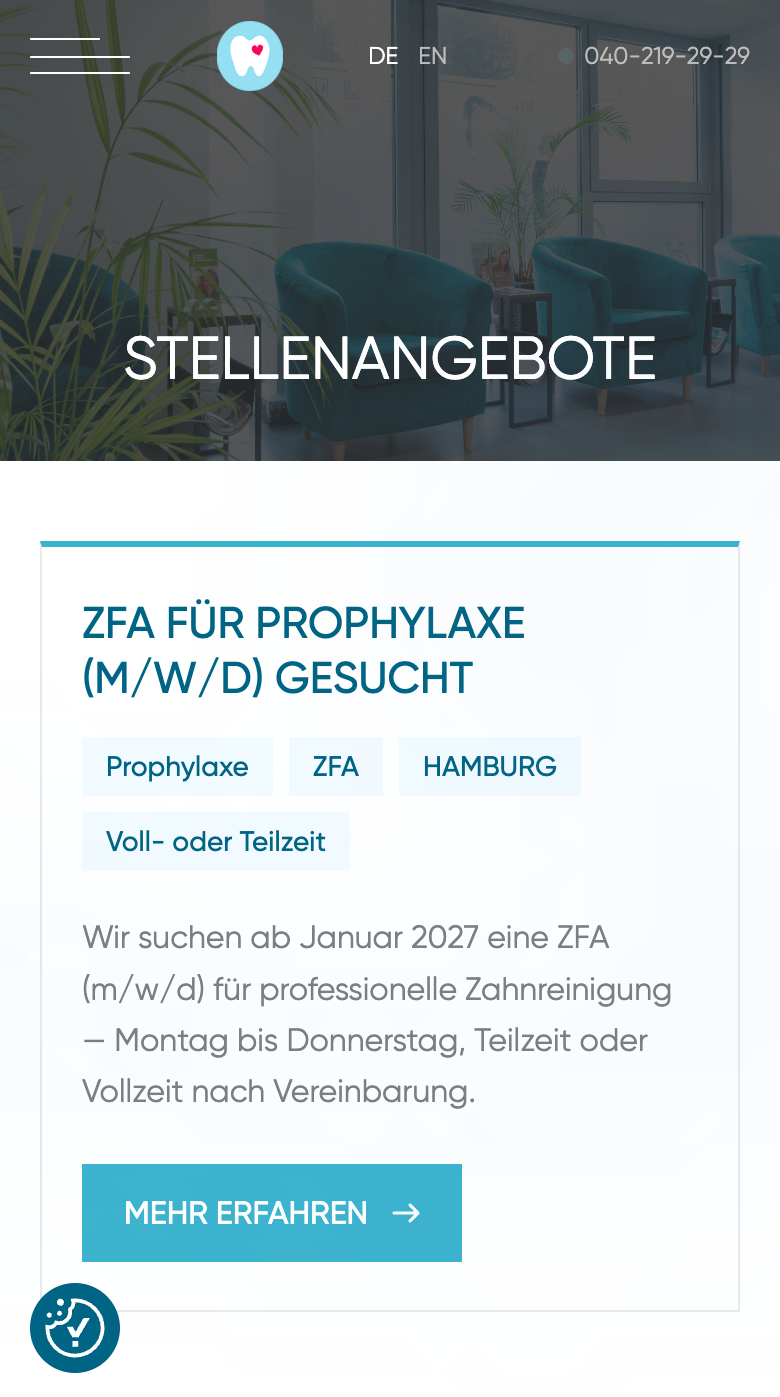
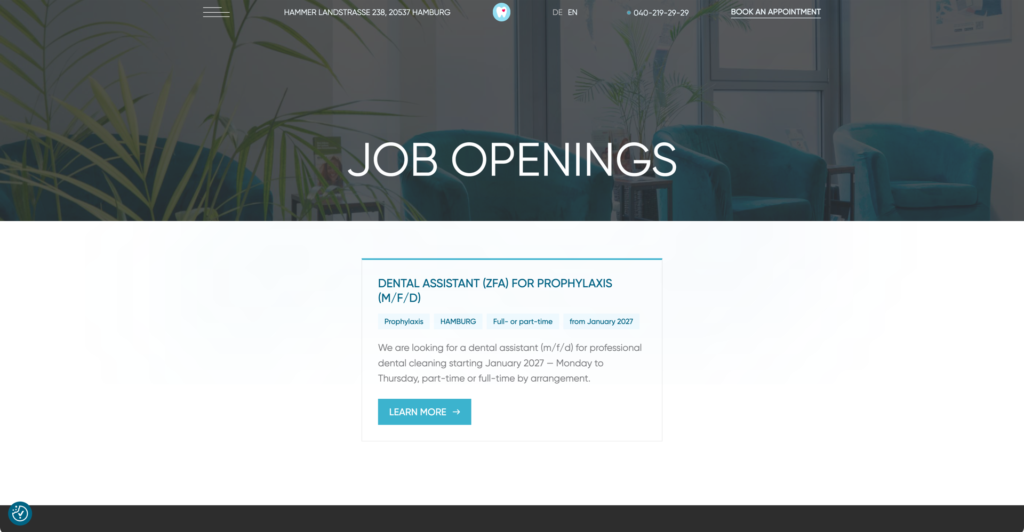
A practice usually has one to three openings, not thirty. The grid allows for that: a single vacancy sits centred at half width, two share the row, three or more take a third each. On a tablet the list rearranges into two columns, on a phone into one.
3.5
Vacancies visible in Google search
Every vacancy page carries JobPosting structured markup — it tells Google the page is a job opening, so the vacancy can appear in Google’s job search block. The markup passed Google’s Rich Results Test with no issues.
04 — Outcome
The result
The careers section runs on the practice’s website and looks like a natural part of it — the design needed no simplifying and no workarounds.
Publishing and translating require no developer: a new position is added from the admin like a regular post. The plugin was built specifically for this site and belongs to the practice.
05 — Responsive
On the phone
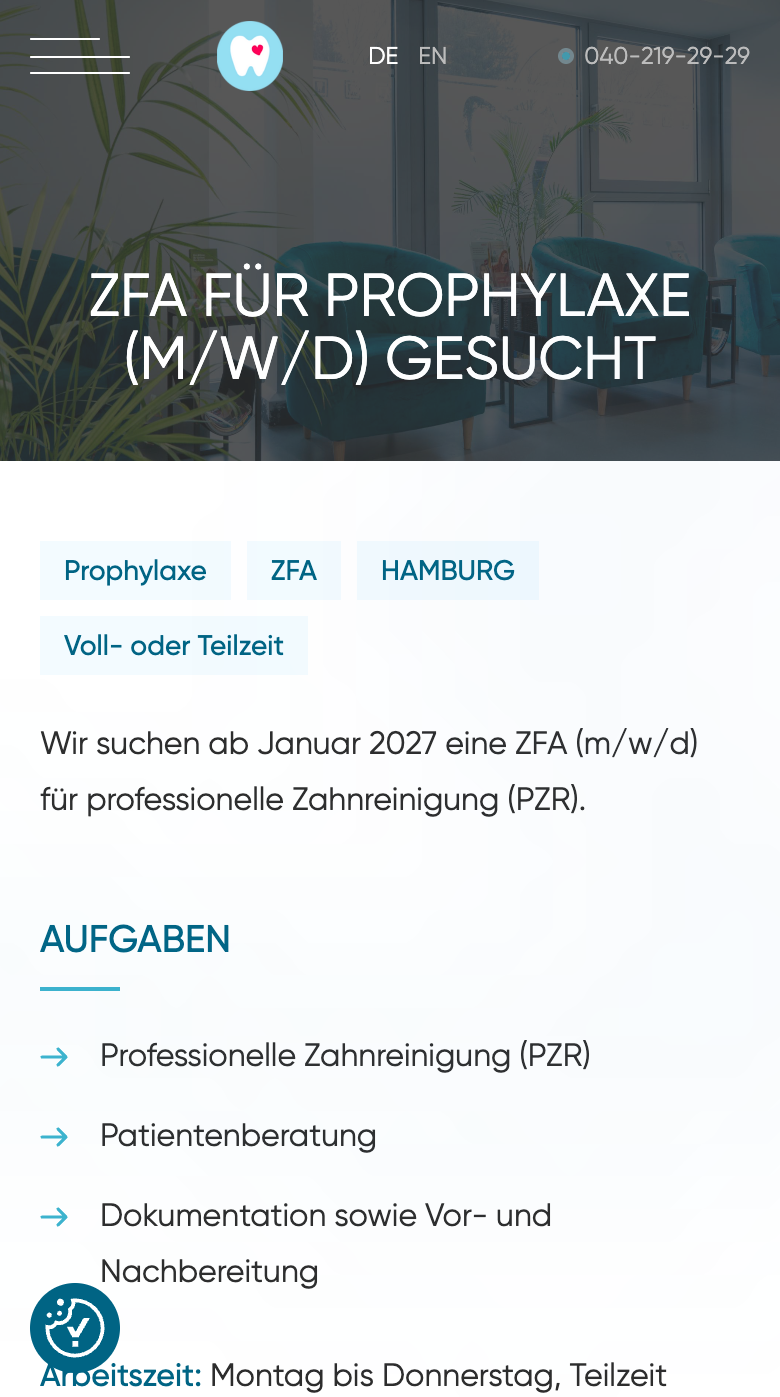
The list and the vacancy page rearrange into a single column, with the apply button staying in view.